
01Steps
Copy the video’s share link
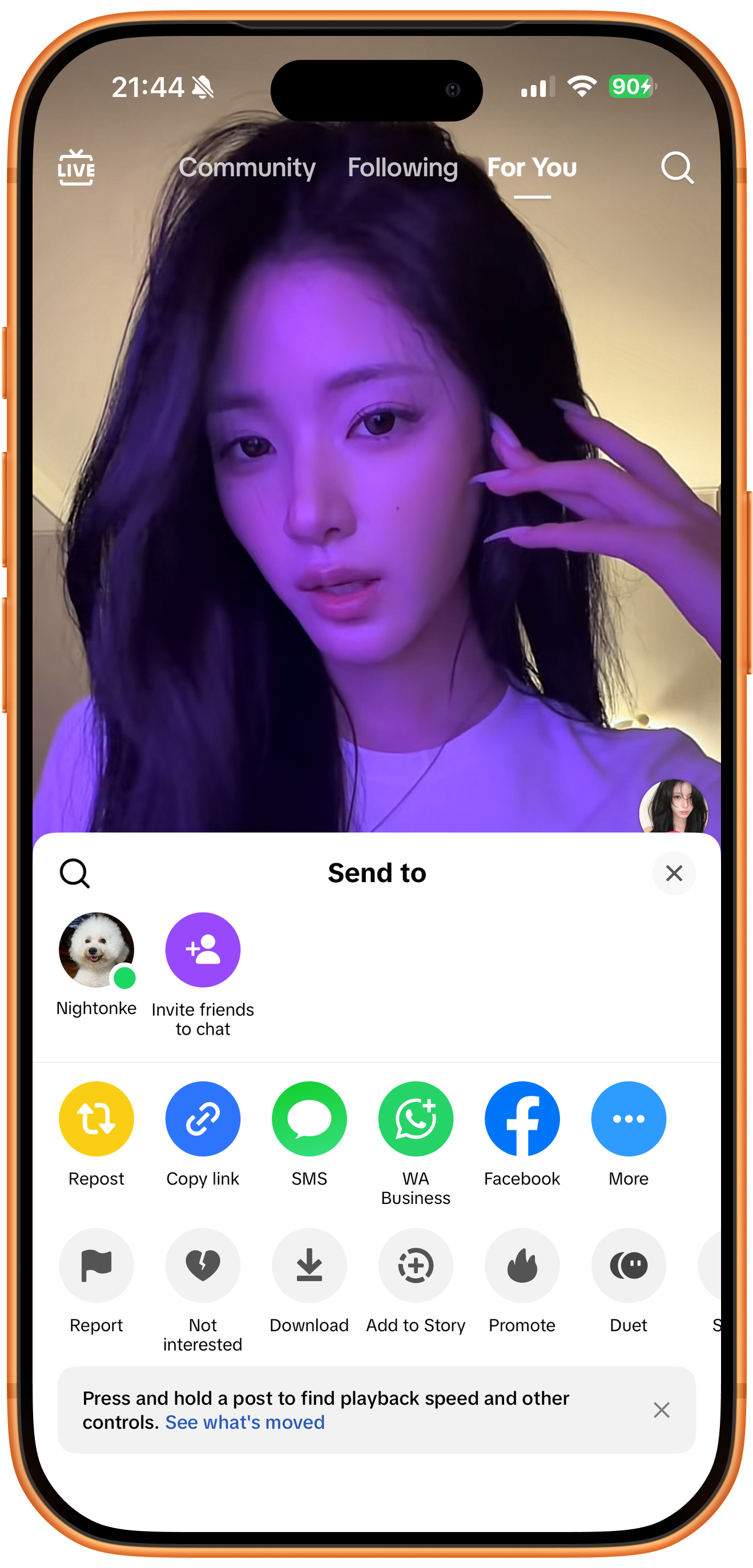
Open the video in TikTok, open the share panel, and tap Copy link. Copy the link to this video, rather than the creator’s profile. The screenshots show the English interface.
02Steps
Submit the link to ClipDock
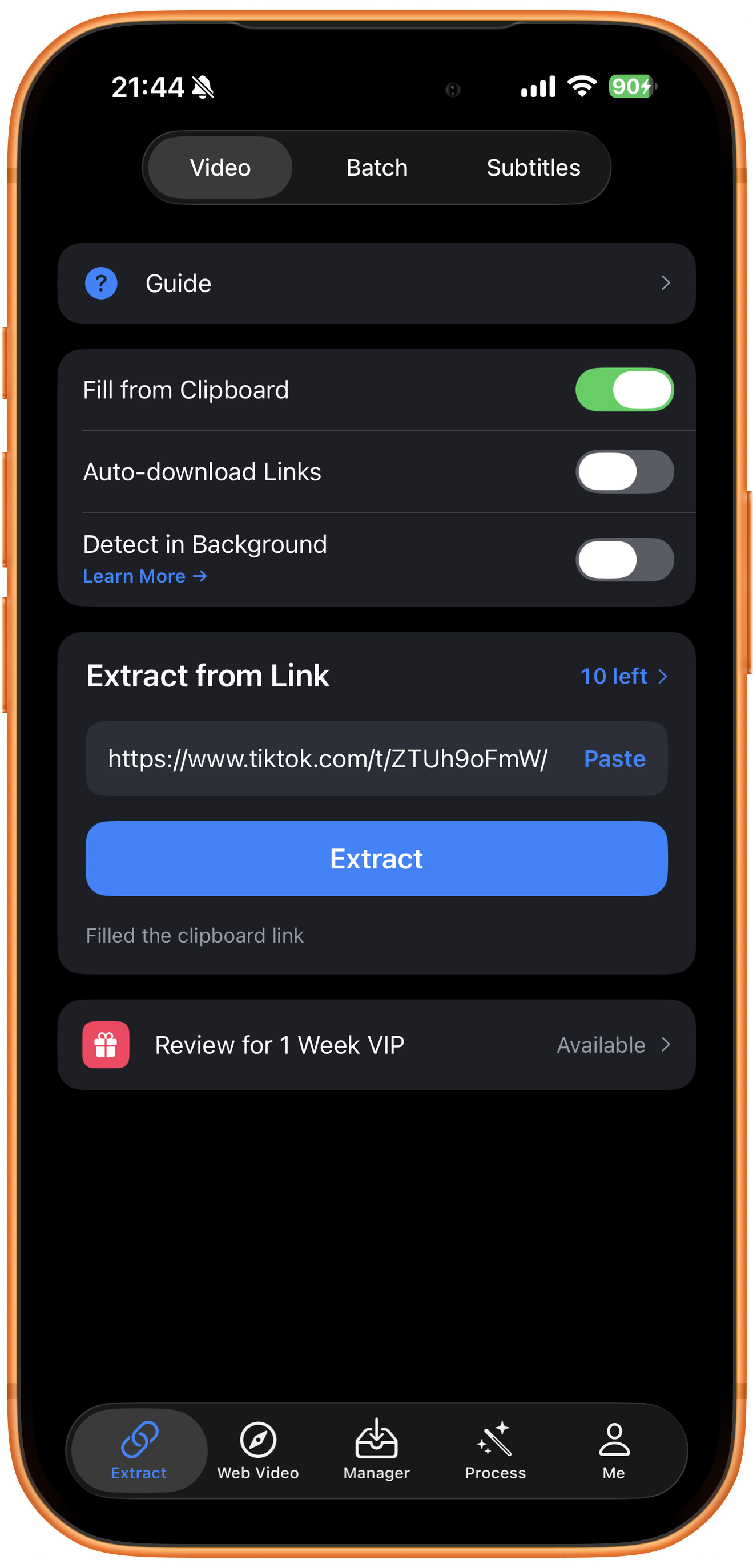
Open Extract in ClipDock, select Video, and check the link under Extract from Link. Fill from Clipboard is enabled in the screenshot, so the copied link is already filled in. If the field is empty, tap Paste. Check the link, then tap Extract.
03Steps
Check download progress
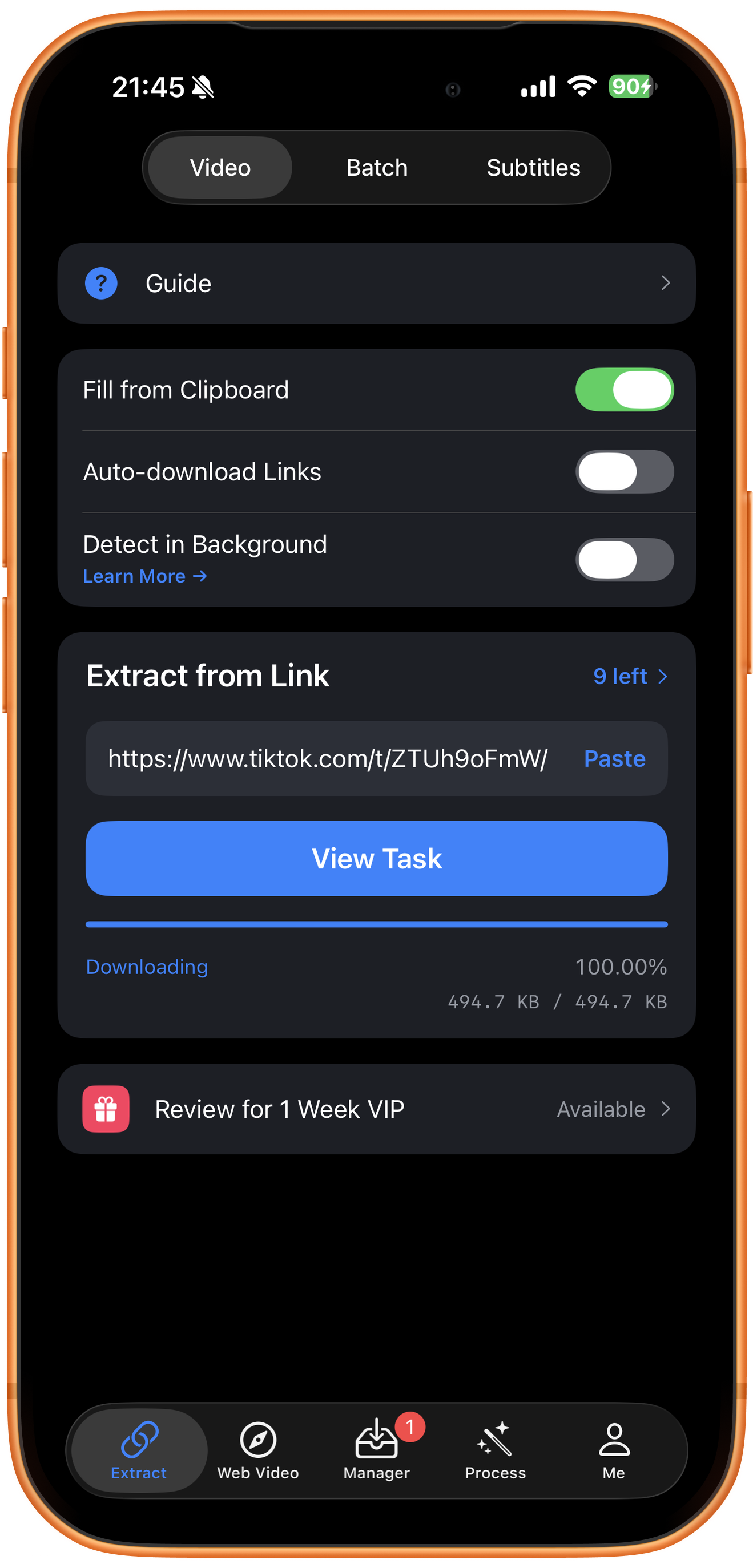
Once the download starts, ClipDock shows Downloading, the progress percentage, and the downloaded size. Tap View Task or open Manager in the bottom navigation to follow the task. Wait for it to finish before opening the video.
04Steps
Preview and save to Photos
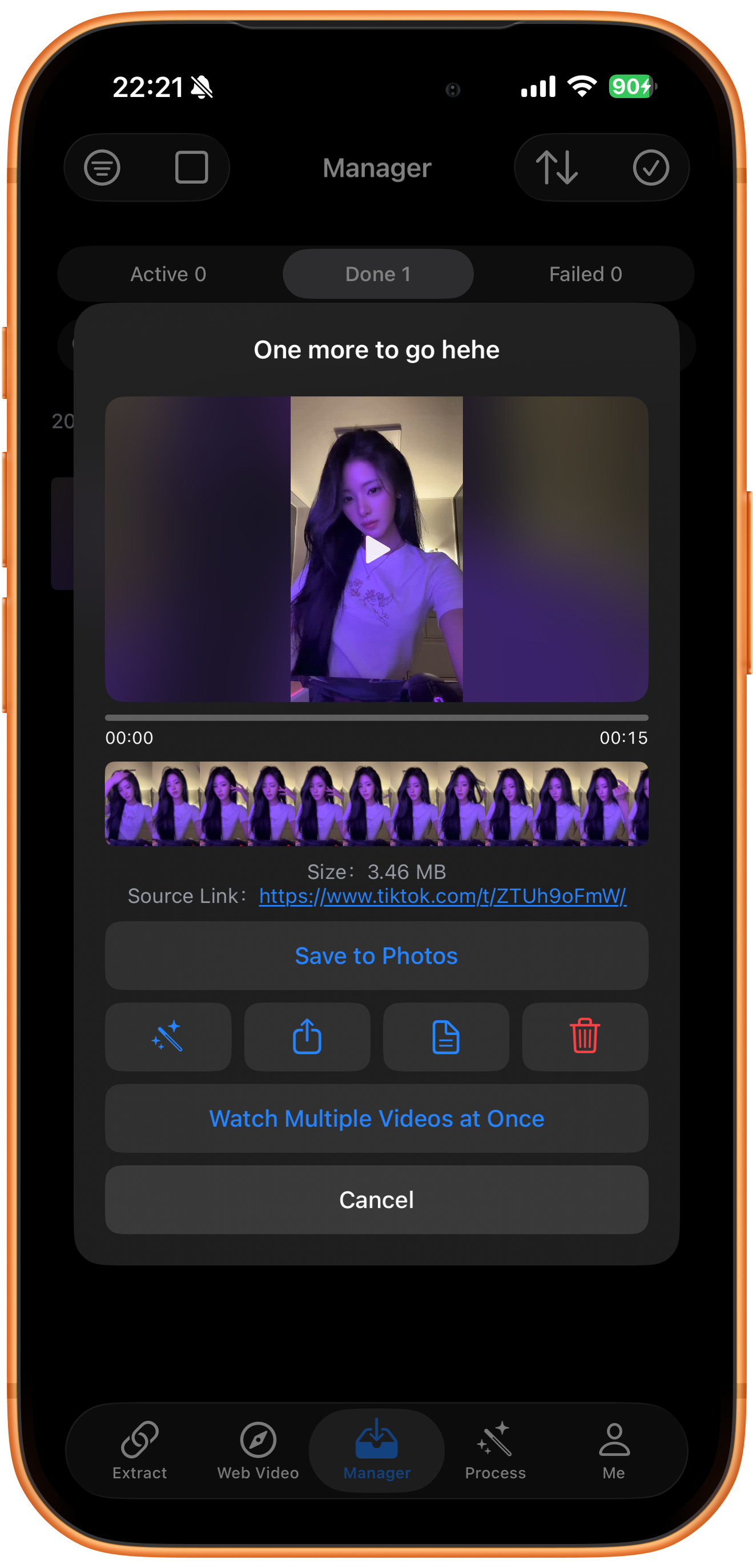
In Manager, open the video from the Done list and tap Play to preview it. Once you have confirmed the content, tap Save to Photos. Allow saving if iOS asks for photo access, then check the result in Photos.
Troubleshooting
The link opens, but no media is found
Confirm that the video is still publicly accessible, then copy its share link again. Sign-in requirements, regional restrictions, and changes to the source page can affect extraction. Repeated retries may not resolve a source restriction.
Frequently asked questions
Why is a completed download missing from Photos?
The ClipDock library and the system Photos library are separate. Wait for the task to finish, then use Save to Photos and check photo permissions.
Can I save several TikTok videos in a row?
Use copy-to-download for links from different videos. For a collection from one creator, see the profile batch download guide. These workflows use different inputs.
Supported platforms
Supported sources include YouTube, Instagram, TikTok, X, Facebook, Vimeo, Reddit, Pinterest, Bilibili, Xiaohongshu, Weibo, and other platforms. Availability depends on the individual resource, region, and access conditions. The screenshots in each guide demonstrate only the workflow described there.
Try it on your device
ClipDock is free to download, with in-app purchases. Features and available options depend on the current app version.
Download on the App Store