
App data
The App Store privacy label states that the developer does not collect data through this app.
Web video downloader · iPhone + iPad
Save videos, images, and audio from supported links with ClipDock. Copy a link, download in the background, or save a playlist in one go. Then trim, convert, and organize everything on your iPhone or iPad.
4.7 ★ · 14 ratings No app data collected
Explore video download guidesChoose your platform to learn how to copy a link, download a video, and save it to Photos.
Paste a shared link or webpage URL into ClipDock to extract available videos, images, or audio. Choose the quality and format offered by the source, then download.
Supported sources include YouTube, Instagram, TikTok, X, Facebook, Vimeo, Reddit, Pinterest, and many more. Availability varies by link, region, and source platform.
Open the share menu and tap Copy link.
Turn on Auto-download Links and Detect in Background, and keep Picture in Picture active while you browse. Copy a supported link and ClipDock can start downloading in the background. Allow notifications to be notified when it finishes.
Enable auto-download, background detection, and notifications.
Open a webpage in Web Video, the built-in browser, and play the video after any ads. Press and hold the video, or tap the video detector, then select the media you want to download.
Open a webpage in the browser and play the video.
Load videos from supported channels, profiles, and playlists on platforms such as YouTube, Instagram, X, and TikTok. Select the items you want and save them together.
Batch sources include YouTube channels, Shorts, hashtags, and playlists; Instagram profiles and hashtags; X and TikTok profiles; and supported collections on other platforms. Available items depend on the source.
Paste a playlist link in the Batch tab.
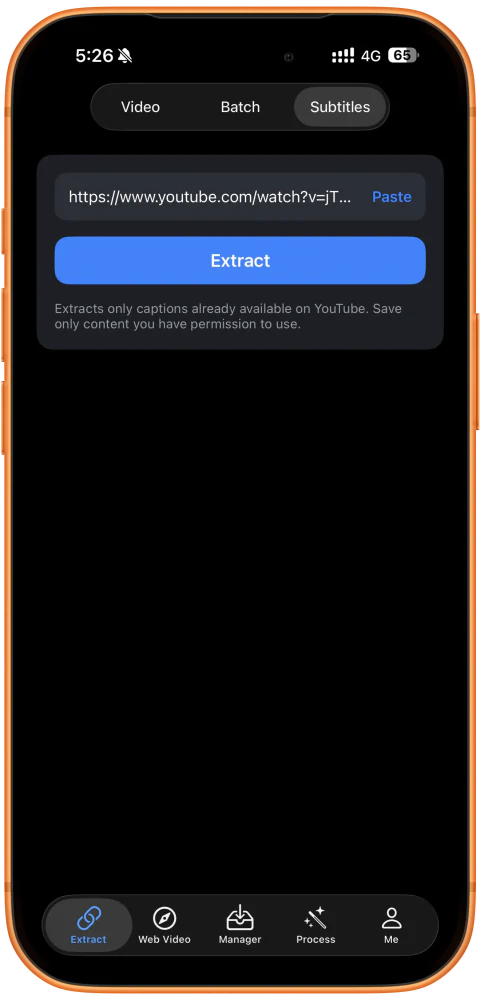
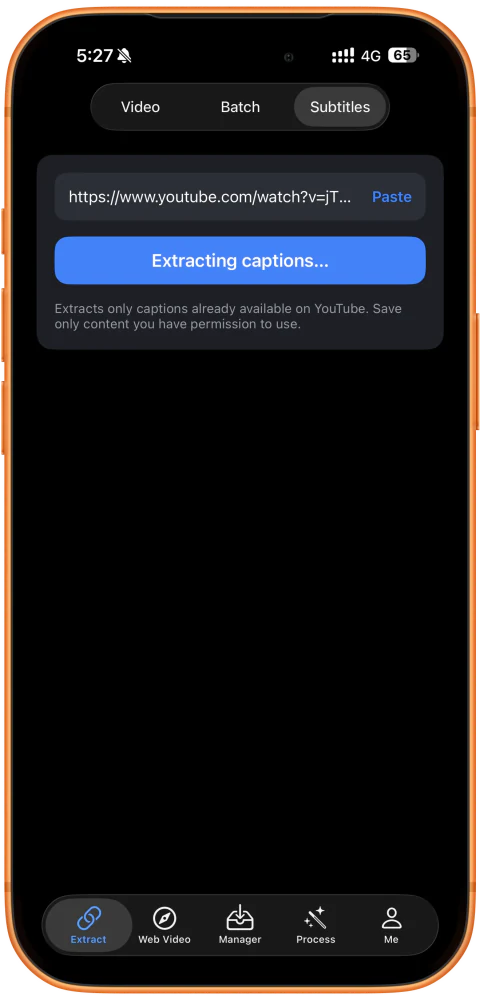
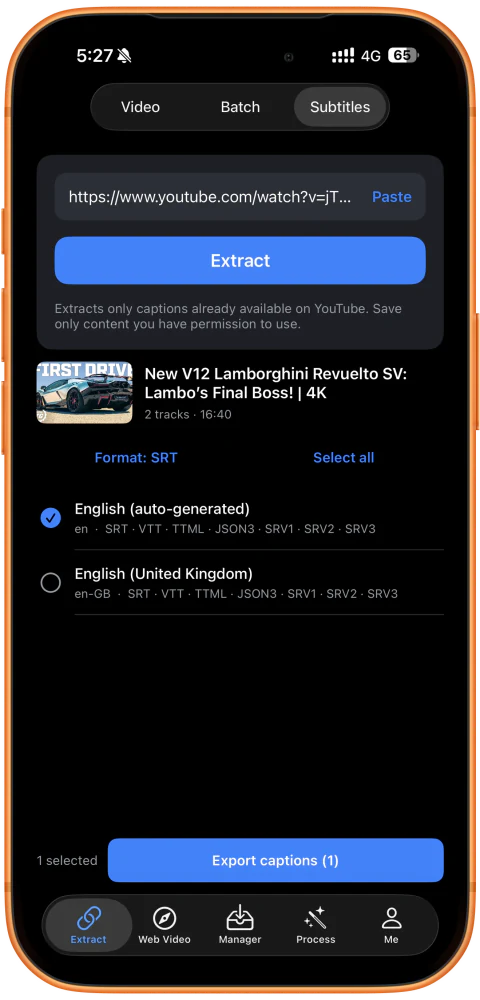
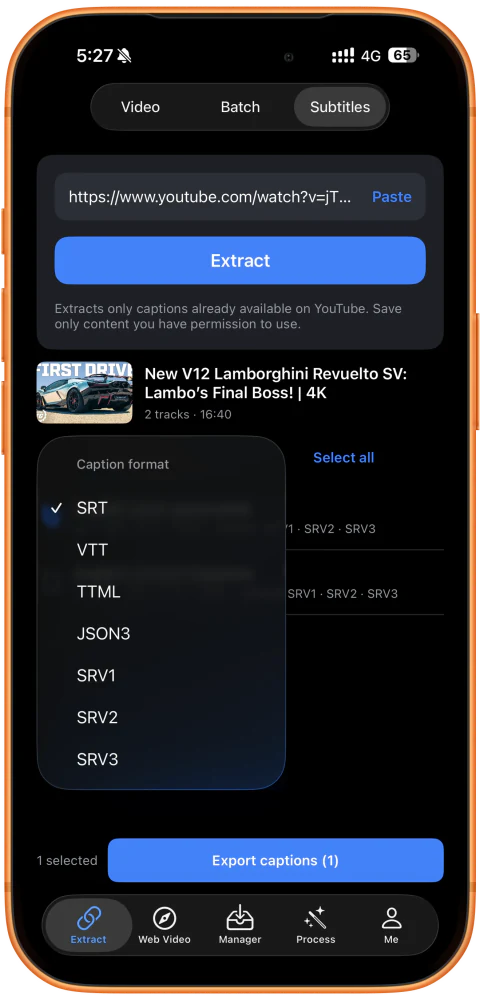
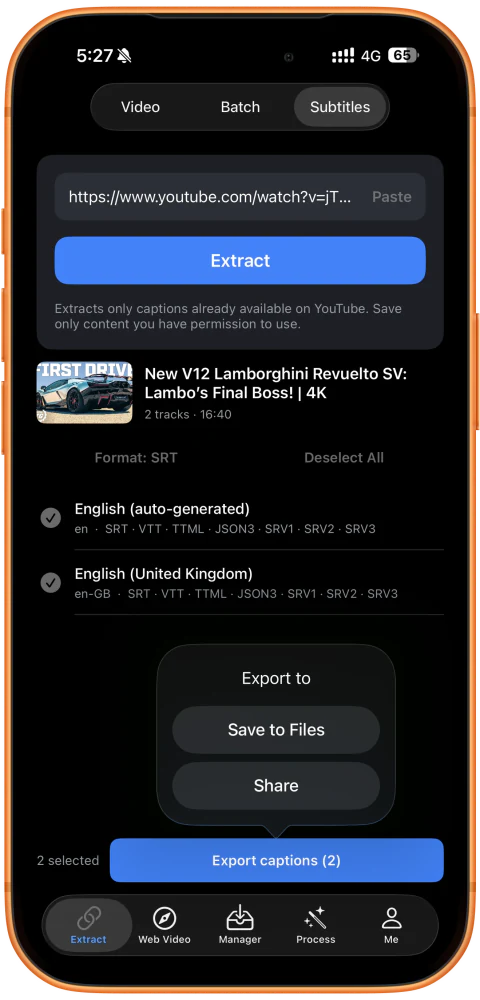
Paste a YouTube video link to extract existing captions. Choose the languages and file format you need, then save the files or share them with another app.
After the download
Saving is just the start. Trim, convert, join, and share your videos with tools built into ClipDock.
Keep the part you want and cut away the rest.
CONVUse Transcode Video to change the file format or compress your video.
JOINUse Stitch Videos to join clips in sequence, starting with your main video.
MIXUse Interleave to alternate segments from different videos.
GRIDUse Segment Grid to split one video into time segments that play together in a grid.
SIZEChange the aspect ratio and choose how your video fits the canvas.
ROTATETurn the picture to the orientation you need.
MIRRORFlip the picture for a mirrored result.
SPEEDSpeed up or slow down your video.
AUDIOSave the sound from a video as an audio file.
SOUNDUse Audio Editing to mute a video or adjust its volume.
MERGECombine an audio track and a video in one file.
REVERSEPlay a video from its end back to its beginning.
MARKAdd text or an image to your own videos.
GIFUse Video to GIF to turn a clip into a shareable animation.
LIVEUse Video to Live Photo to turn a clip into a Live Photo.
FRAMESUse Video Capture to save a frame as an image. Batch capture requires VIP.
MD5Change the video file’s MD5 hash.
Know what to expect
ClipDock is for content you have the right to save and edit. Download availability depends on the platform and the source media.
The App Store privacy label states that the developer does not collect data through this app.
Requires iOS 15 or iPadOS 15, or later.
Does not bypass DRM, paywalls, access controls, or platform restrictions.
Questions, answered
Ready for your next link?
ClipDock is free to download on iPhone and iPad, with in-app purchases.
Download on the App Store