
01Steps
Copy the Reel’s share link
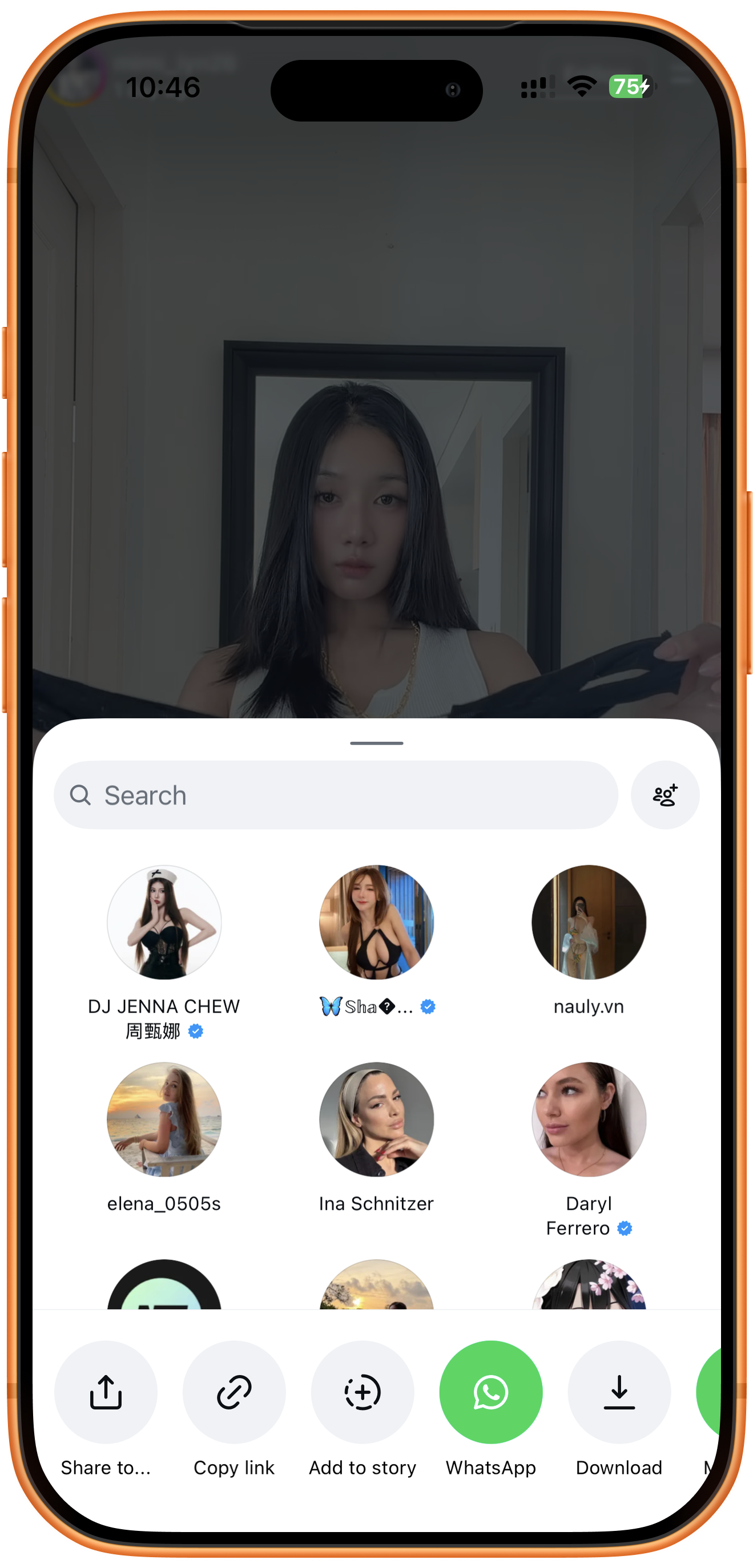
Open the Reel in Instagram, tap Share, and choose Copy link at the bottom of the share panel. Use the link to the Reel, rather than the creator’s profile. The screenshots use English controls.
02Steps
Submit the link and extract
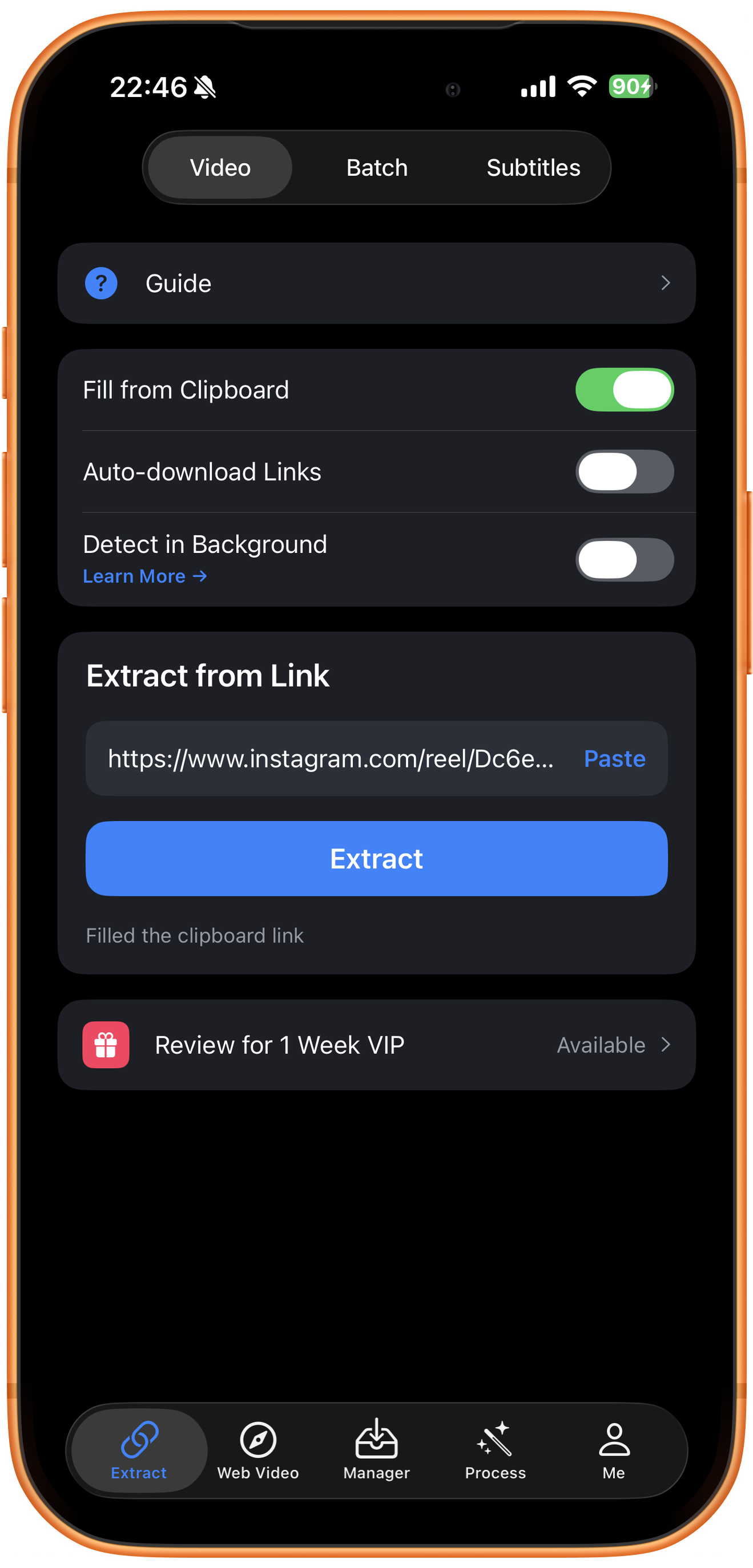
Open Extract in ClipDock, choose Video, and find Extract from Link. The screenshot has the link filled from the clipboard. If the input is empty, tap Paste. Check that it is the intended Reel, then tap Extract.
03Steps
Check download progress
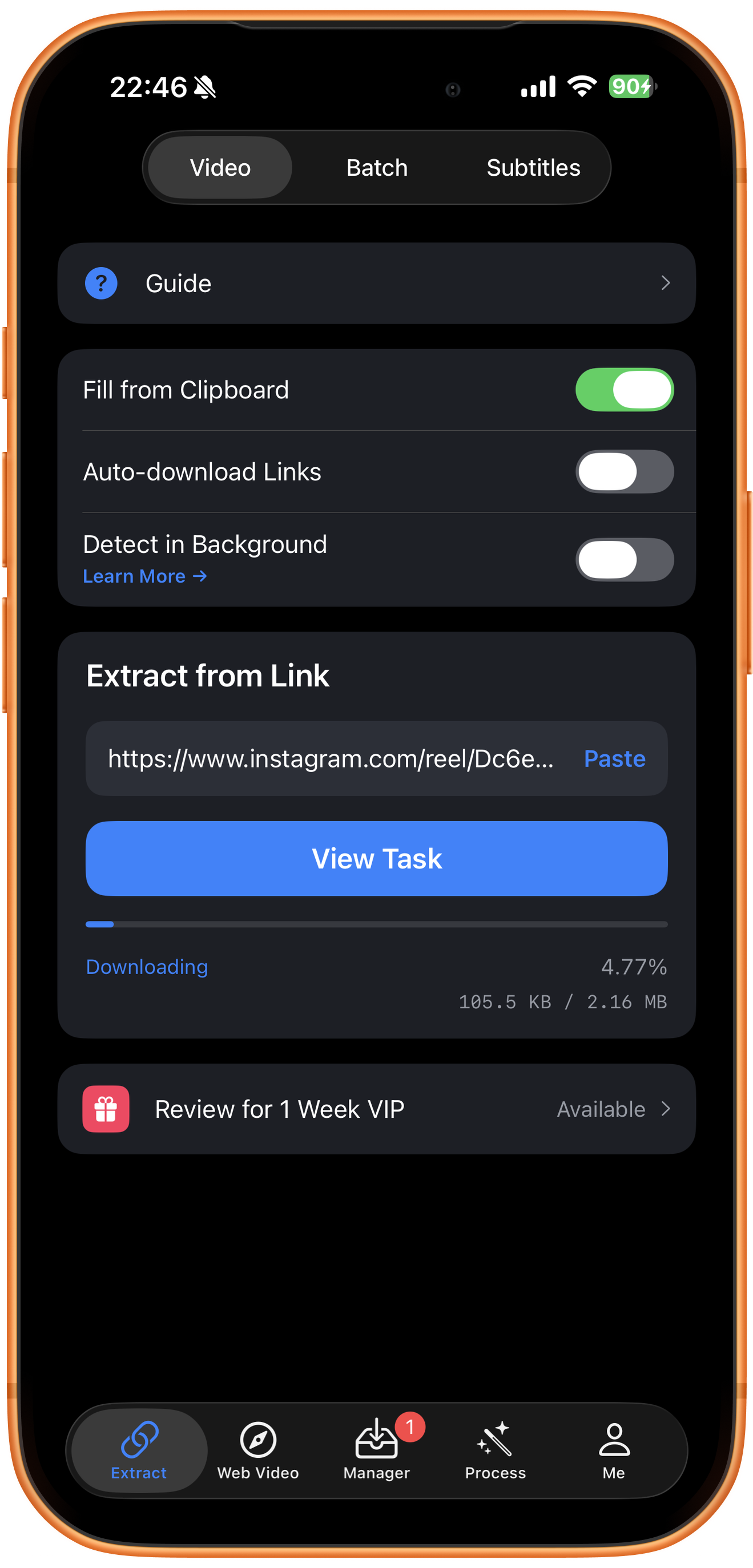
Once the download starts, ClipDock shows Downloading, the progress percentage, and the downloaded size. Tap View Task or open Manager in the bottom navigation to follow the task. Wait for it to finish before opening the video.
04Steps
Preview and save to Photos
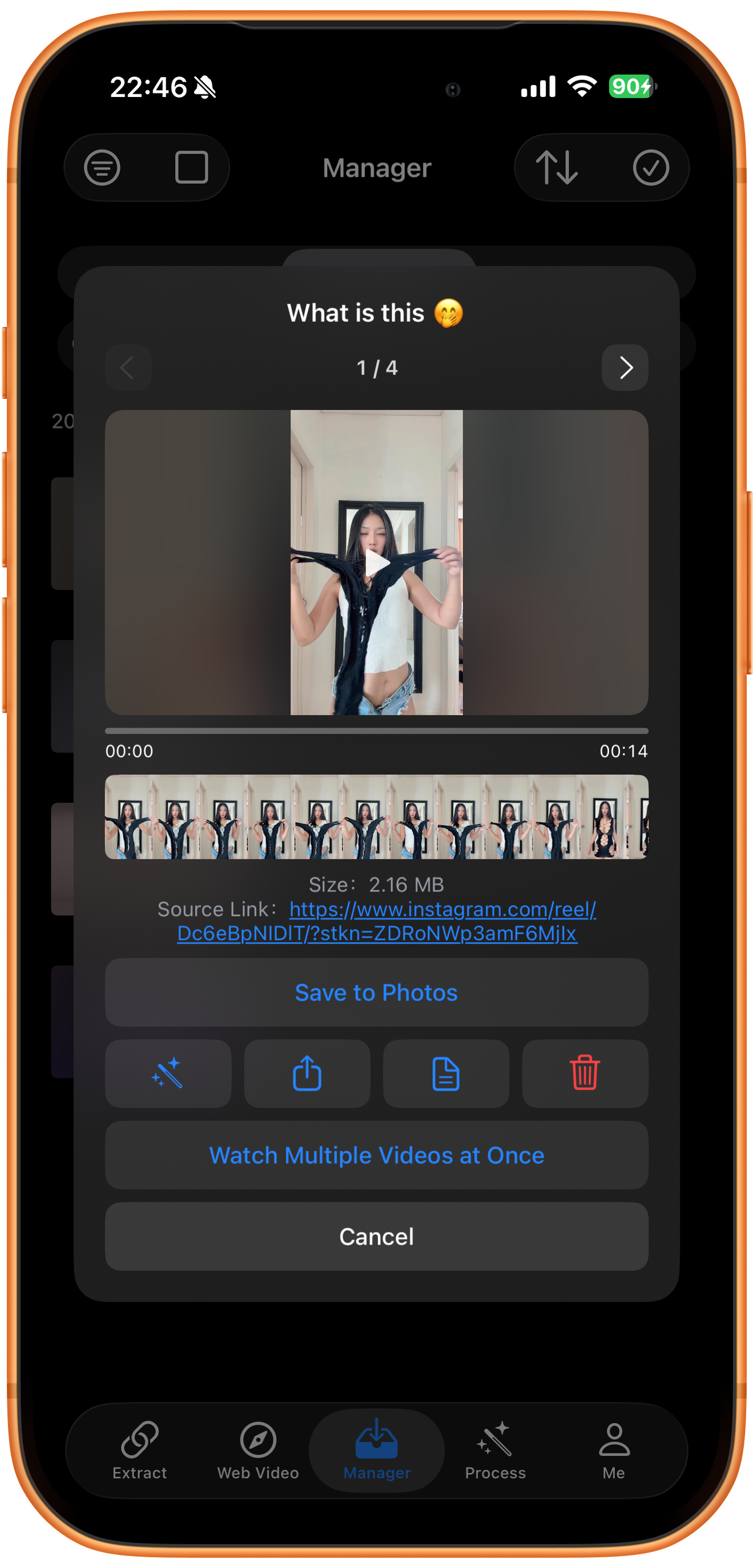
Open the completed video in Manager and play it to check the picture and sound. If the preview contains several items, use the left and right arrows to select the right one. Tap Save to Photos, allow photo access if prompted, and check the result in Photos.
Troubleshooting
Private accounts and unavailable posts
A link does not grant access permission. If a source requires a particular signed-in account, or a post or link has expired, this public-link workflow may not retrieve the media.
Frequently asked questions
Does this also demonstrate Instagram Stories?
This guide is for Reels. Stories have different links, expiry times, and access conditions. A successful Reel download is not evidence for Story support.
How do I save several videos from one creator?
Use the creator’s profile link in the batch workflow. See the Instagram profile download guide.
Supported platforms
Supported sources include YouTube, Instagram, TikTok, X, Facebook, Vimeo, Reddit, Pinterest, Bilibili, Xiaohongshu, Weibo, and other platforms. Availability depends on the individual resource, region, and access conditions. The screenshots in each guide demonstrate only the workflow described there.
Try it on your device
ClipDock is free to download, with in-app purchases. Features and available options depend on the current app version.
Download on the App Store