
01Steps
Copy the Instagram profile URL
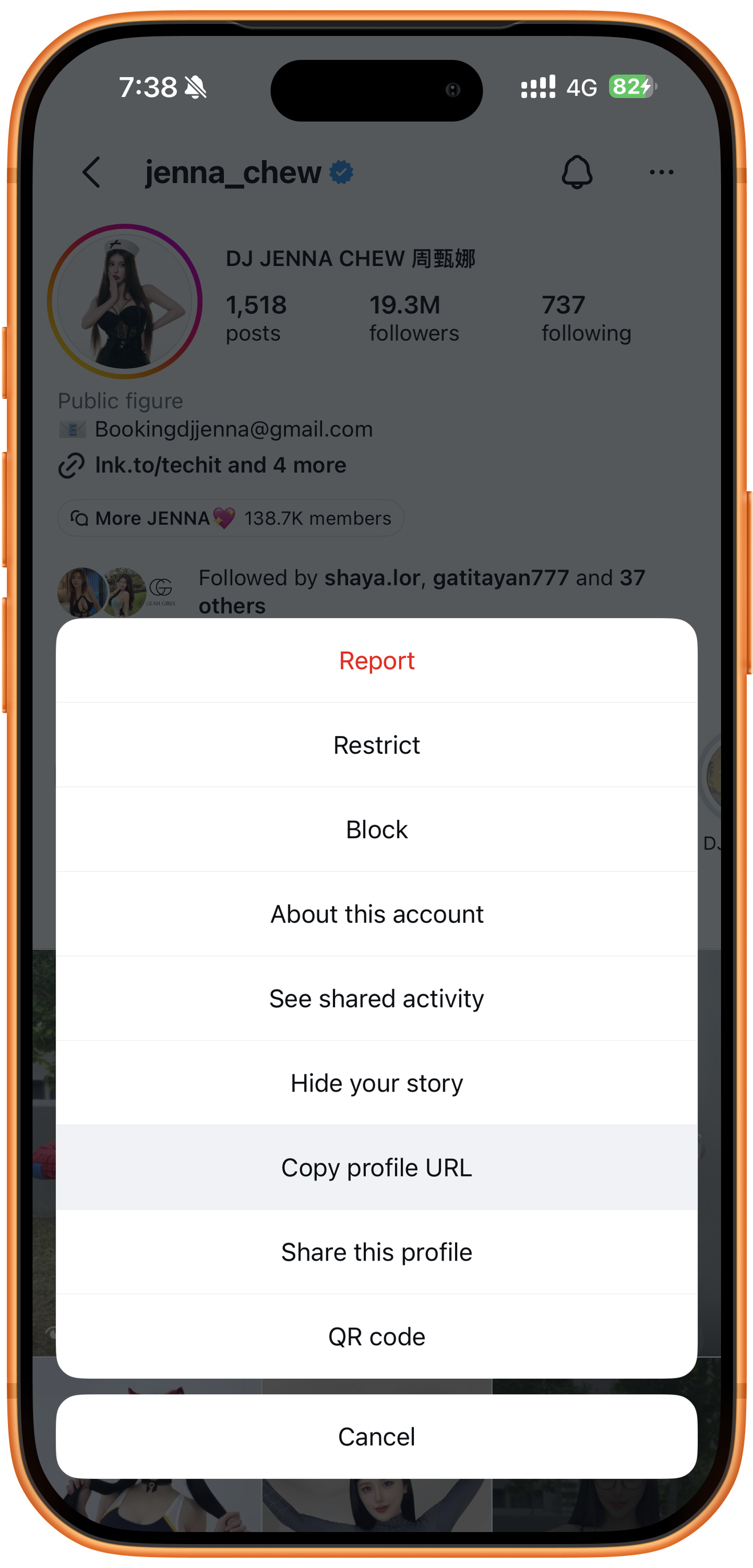
Open the creator’s profile in Instagram, tap the three-dot menu at the upper right, and choose Copy profile URL. You need the profile address. For one Reel, use the single-video guide.
02Steps
Paste the URL in Batch
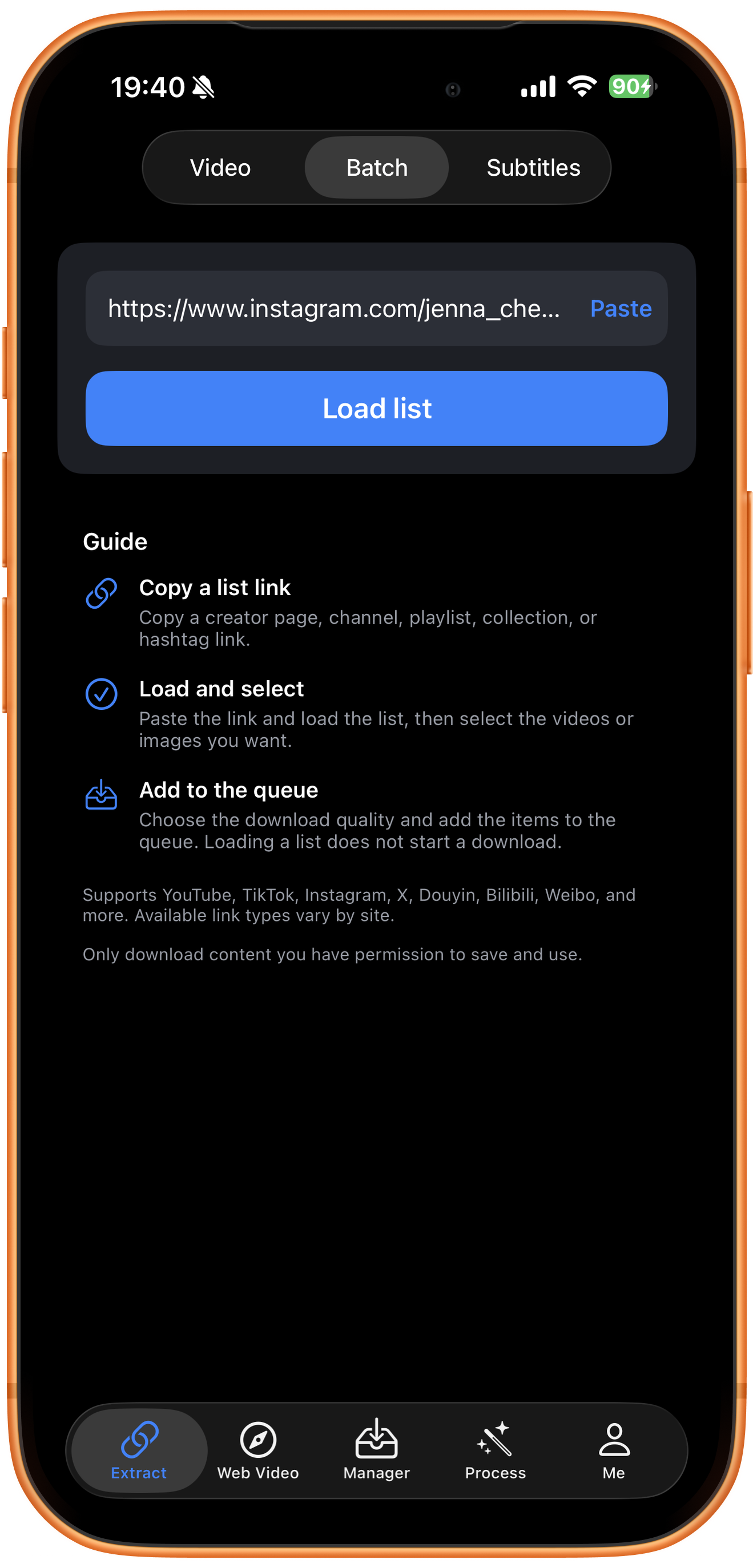
Open Extract in ClipDock, select Batch at the top, and tap Paste. Check the account address. The page’s Guide describes copying a list URL, loading and selecting items, and adding them to the queue.
03Steps
Load the list and wait for results
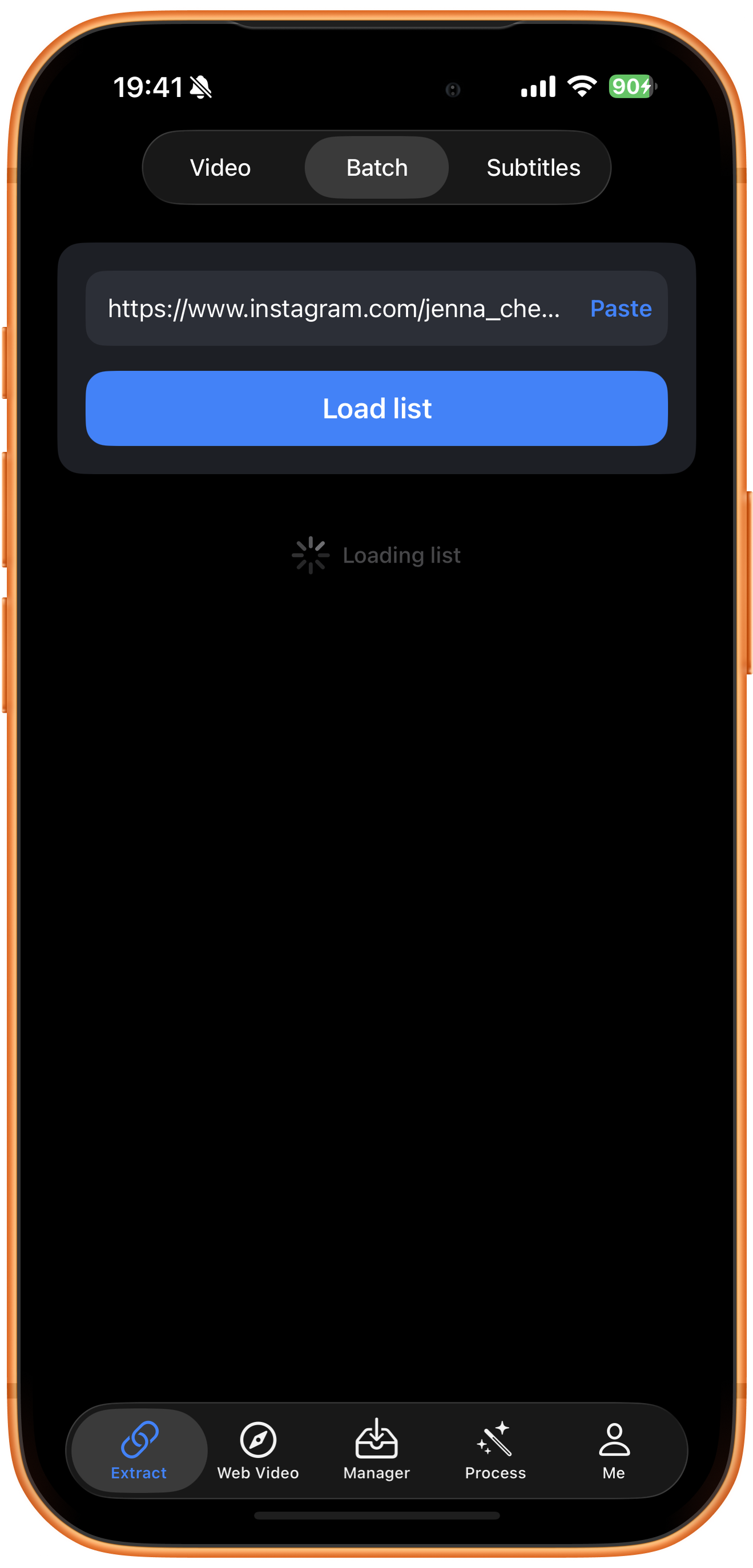
Tap Load list and wait for Loading list to finish. This only retrieves selectable resources; it does not start downloading. You still need to select items and tap Add to queue.
04Steps
Filter resources and add them to the queue
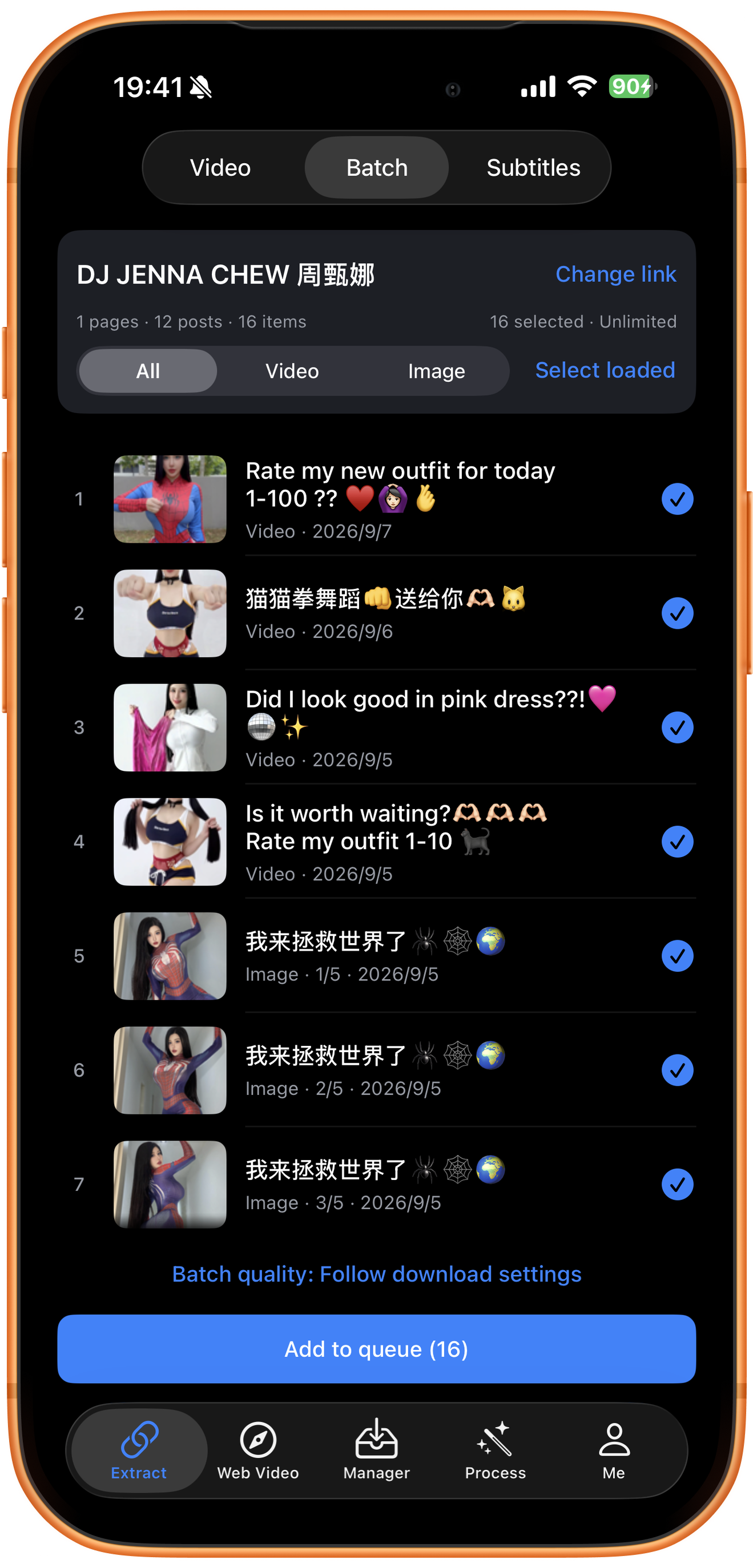
Check the creator’s name when the list returns. This example shows 1 page, 12 posts, 16 items, and 16 selected. Review the resources and the count in parentheses on Add to queue before tapping it.
Filter and select media
All shows every media type, Video filters videos, and Image filters images. Blue checkmarks show selected items. Adjust them as needed and check the total selection and Add to queue count before submitting, even when using the Video filter.
Why do posts and items have different counts?
One post can include several media items. The screenshots label images 1/5, 2/5, and 3/5, so 12 posts can yield 16 items. This is the loaded result, rather than the creator’s complete history.
Individual selection and Select loaded
Blue checkmarks on the right mark selected items. Adjust them, or use Select loaded to select currently loaded resources. Check the on-screen count. Change link lets you replace the profile URL.
Batch quality
Follow download settings uses the quality preference in your download settings. Tap Batch quality to inspect the options available in your current version, then confirm before adding tasks.
05Steps
Check the tasks in Manager
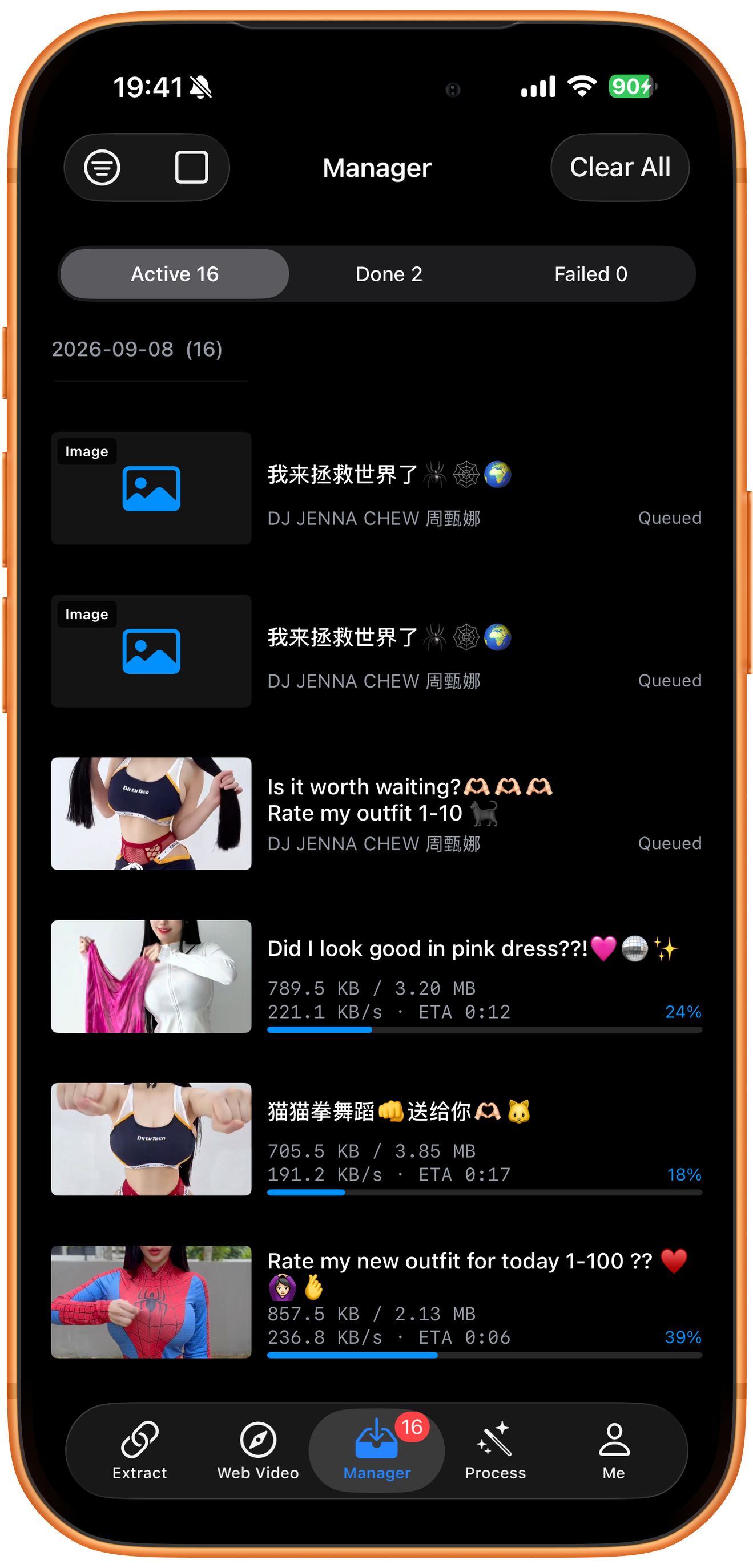
After adding the queue, open Manager. The screenshot shows Active 16, with both Queued items and videos showing download progress. Open completed results from Done. To export to the system library, use Save to Photos from the result.
Queued does not mean completed
Queued means waiting. Progress, speed, and remaining time indicate an active download. This screenshot shows the queue running; it does not prove all 16 resources have downloaded or been saved to Photos.
Troubleshooting
Check the loaded range first
Use the actual returned list. It does not establish that Stories, private or deleted posts, or all historical content are included. Confirm creator, media type, and selection count before submitting.
Frequently asked questions
Can I download only videos?
Use the Video filter, then check the item selections and Add to queue count. This example selects 16 resources containing both videos and images.
Does loading a profile start downloading?
No. Select resources, check quality and count, then tap Add to queue.
Why are there 12 posts but 16 items?
Posts and media resources use different units. A multi-image post can supply several items. The selected count and queue button determine how many are submitted.
Does Unlimited mean all users have no limits?
No. It is the account state shown in the screenshot. Available quantities and limits depend on the current account and app version.
Supported platforms
Batch sources include supported YouTube channels, Shorts, hashtags, and playlists; Instagram profiles and hashtags; X and TikTok profiles; and supported profiles or collections on Douyin, Bilibili, Weibo, and other platforms. Check the resources actually returned for your link.
Try it on your device
ClipDock is free to download, with in-app purchases. Features and available options depend on the current app version.
Download on the App Store