
01Steps
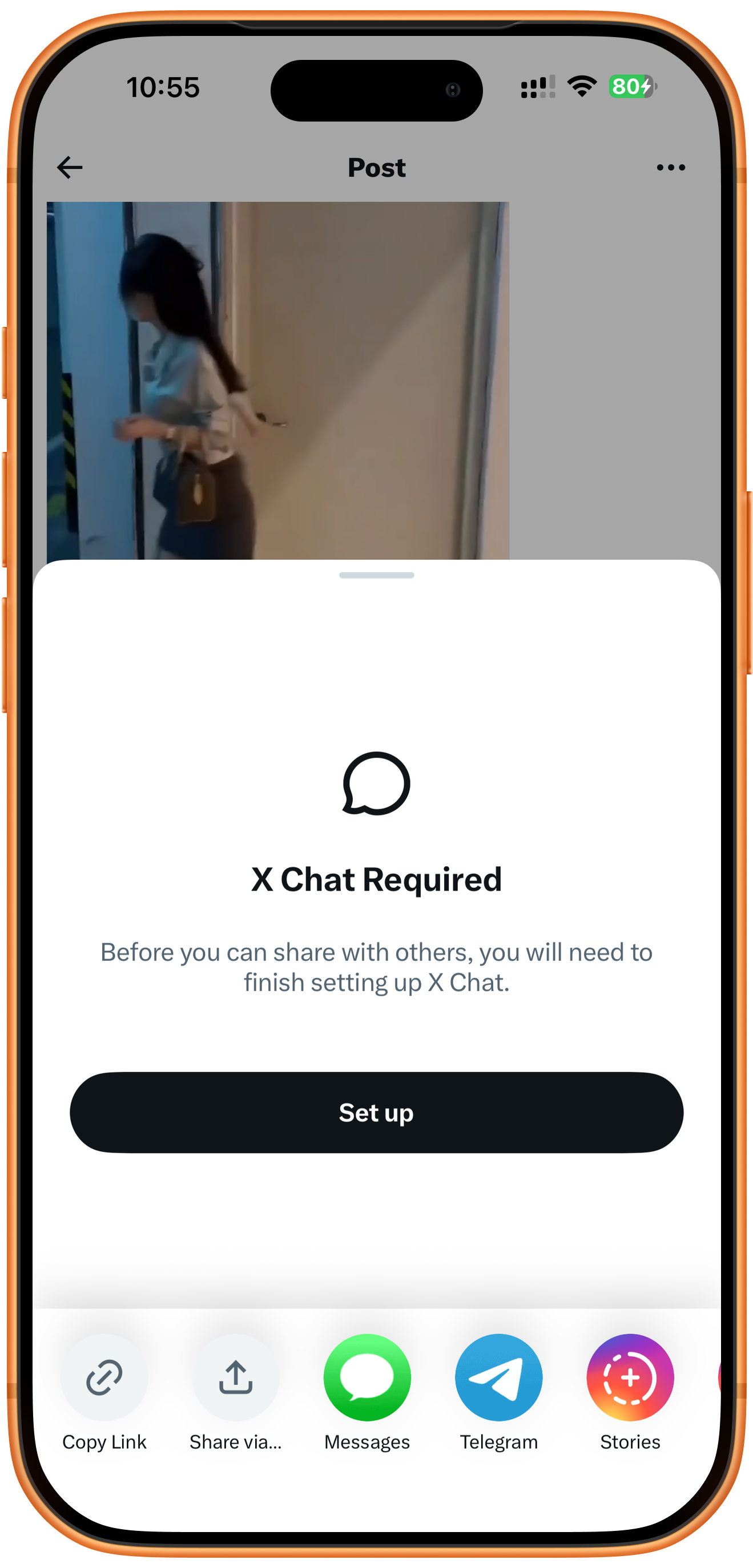
Copy the post containing the video
Open the post in X, tap Share, and choose Copy Link at the bottom of the panel. The center of the screenshot is an X Chat setup prompt. The correct control is Copy Link at the lower left, rather than the central Set up button.
02Steps
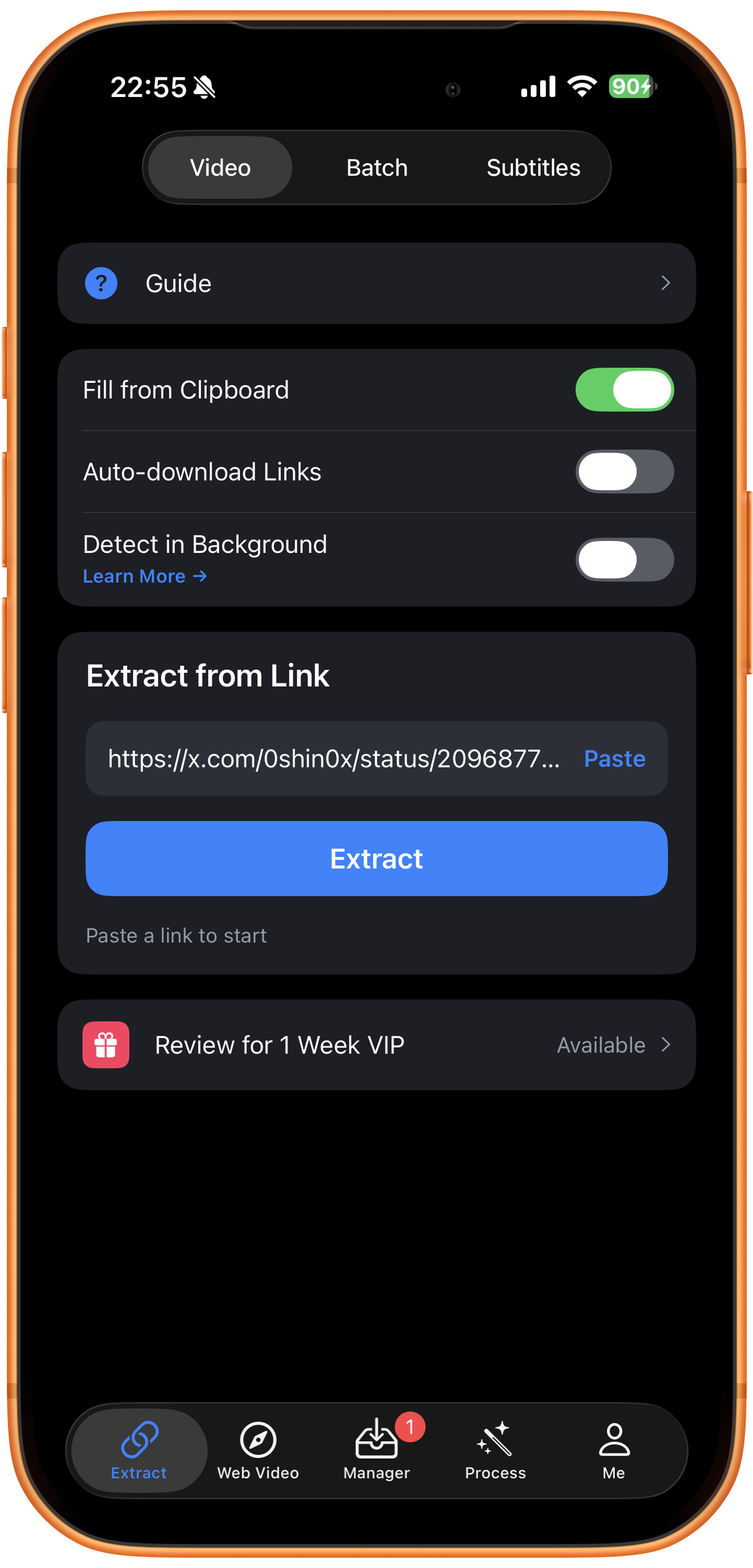
Submit the post link
Open Extract in ClipDock, choose Video, and tap Paste under Extract from Link. If the link is already filled in, check it and tap Extract.
03Steps
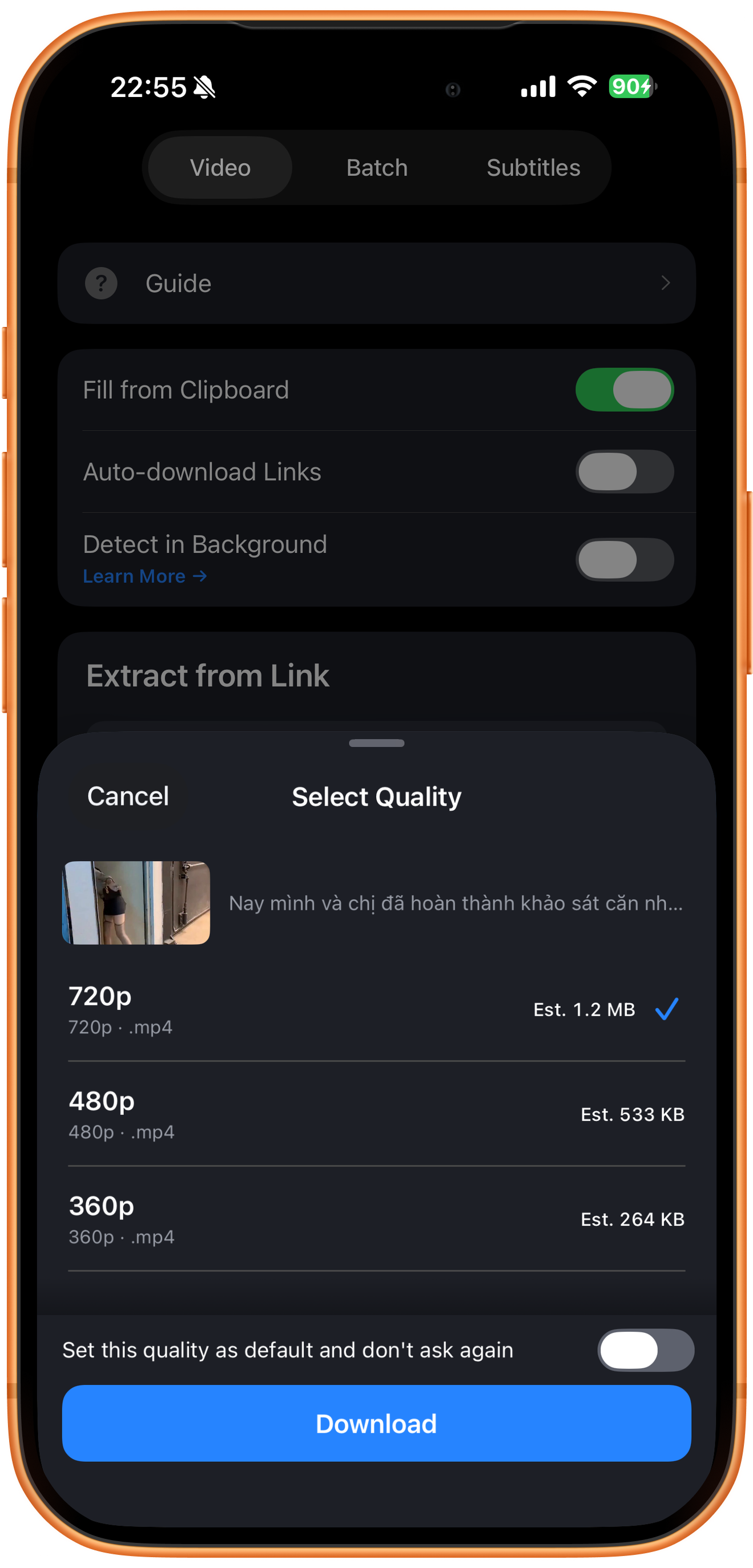
Choose the quality and download
In Select Quality, check the thumbnail and choose a resolution. The example offers 720p, 480p, and 360p MP4 options with estimated sizes. Tap Download. Available qualities depend on the actual result. The bottom switch can save the quality as your default.
04Steps
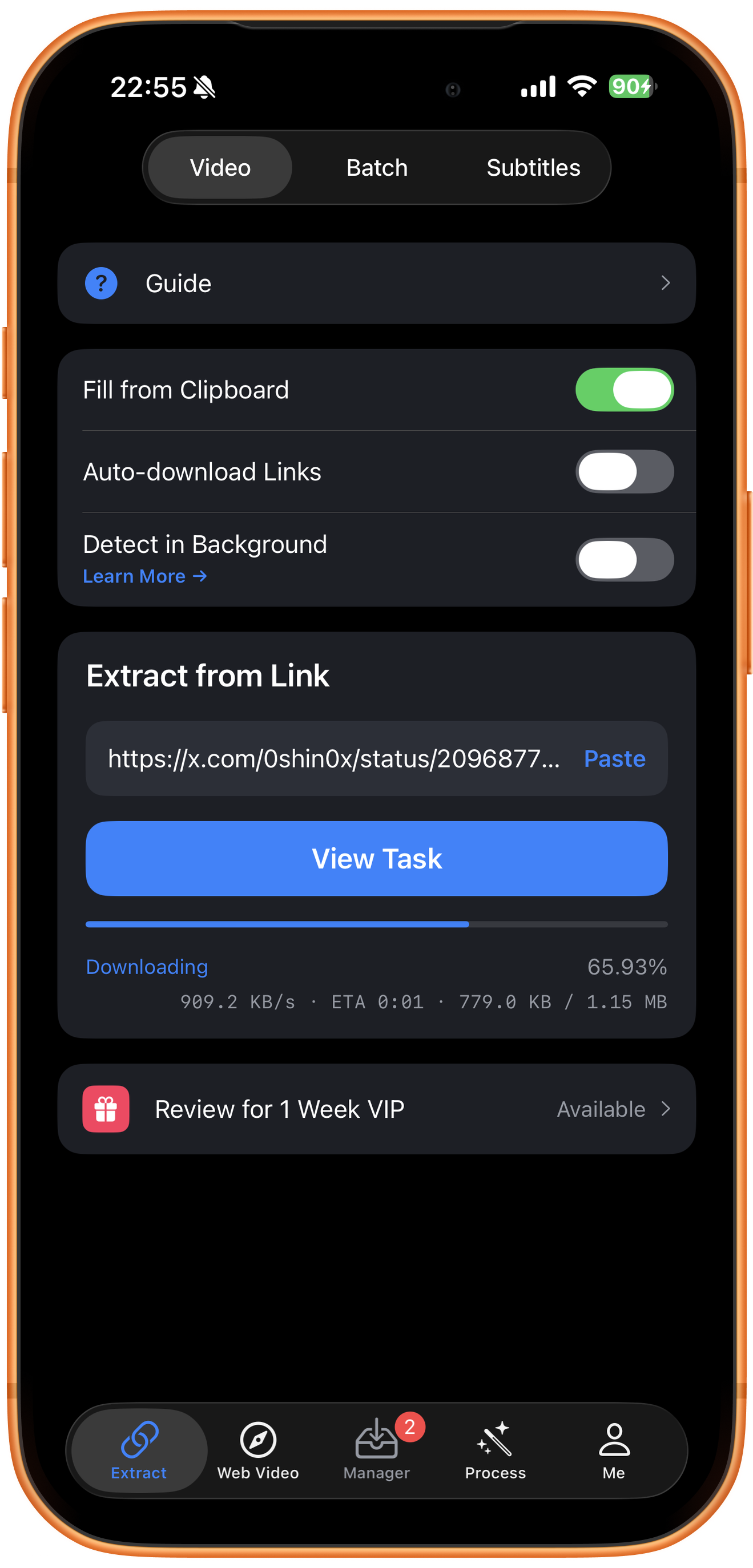
Follow the download
Downloading shows percentage, speed, estimated time remaining, and downloaded size. Tap View Task or open Manager to check the task and wait for completion.
05Steps
Preview and save to Photos
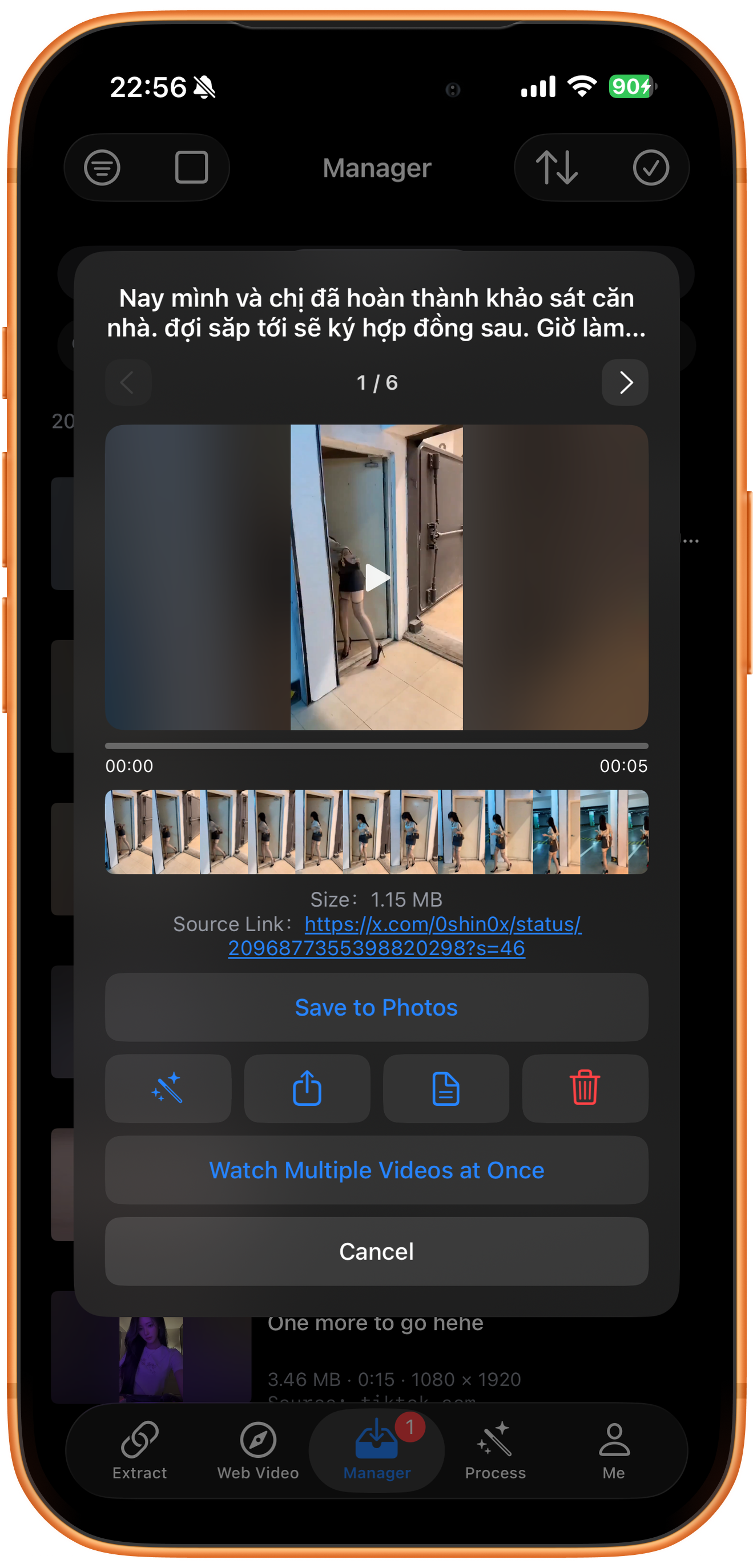
Open the completed video in Manager and play it to check the picture and sound. If the preview contains several items, use the left and right arrows to select the right one. Tap Save to Photos, allow photo access if prompted, and check the result in Photos.
Troubleshooting
The post contains media, but not the video you wanted
Check whether the link points to the original post, a quoted post, or a profile. Confirm the actual extracted media, rather than relying only on the post text.
Frequently asked questions
What if the account requires sign-in?
Access conditions may prevent retrieval. Copying a link does not bypass sign-in, private accounts, or other access controls.
Can I extract the sound after downloading?
Use Extract Audio on a saved video that contains an audio track. The available output format depends on the tool’s actual options.
Supported platforms
Supported sources include YouTube, Instagram, TikTok, X, Facebook, Vimeo, Reddit, Pinterest, Bilibili, Xiaohongshu, Weibo, and other platforms. Availability depends on the individual resource, region, and access conditions. The screenshots in each guide demonstrate only the workflow described there.
Try it on your device
ClipDock is free to download, with in-app purchases. Features and available options depend on the current app version.
Download on the App Store