
01Steps
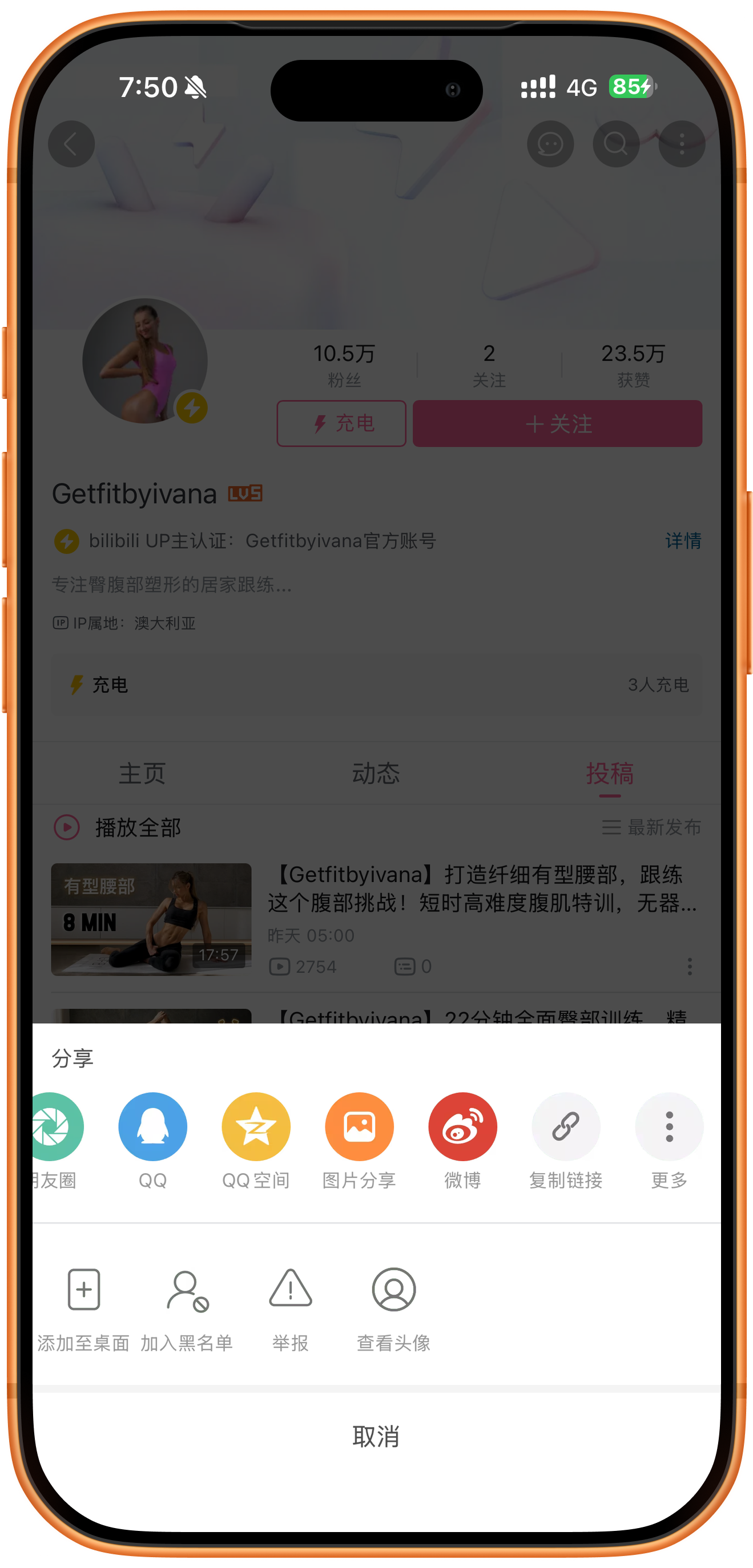
Copy the creator’s profile share link
Open the creator’s profile in Bilibili, tap the three-dot menu at the upper right, and choose Copy link. In the screenshot it sits between Weibo and More. Confirm you are sharing the creator’s profile.
02Steps
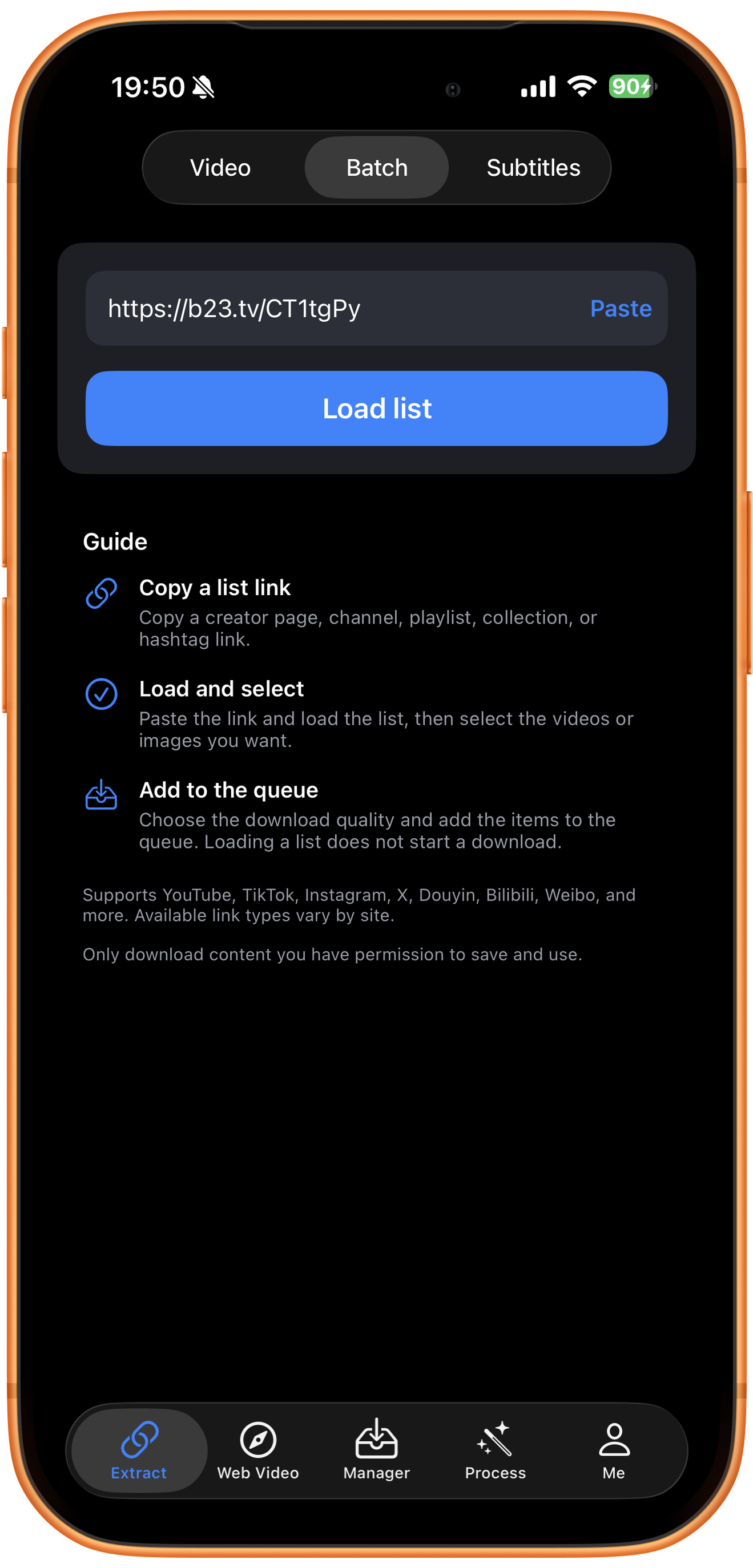
Paste the profile short link in Batch
Open Extract in ClipDock, select Batch, and tap Paste. The b23.tv profile short URL in this example successfully loads the creator’s list.
Check where the short link came from
There is no need to rewrite this copied URL. However, the b23.tv domain alone does not distinguish a profile from an individual video. Copy from the profile and check the creator’s name after loading.
03Steps
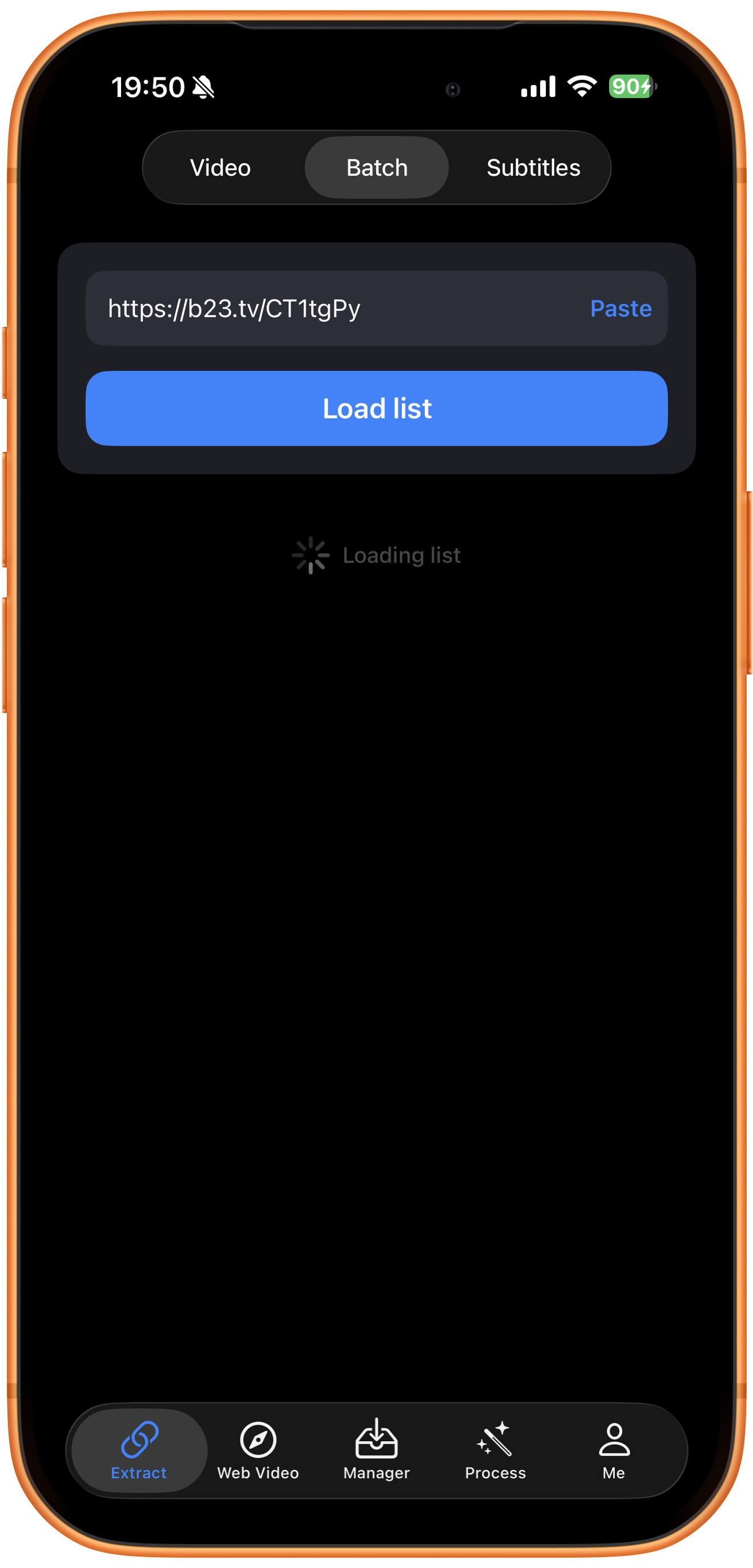
Load the list and wait for results
Tap Load list and wait for Loading list to finish. This only retrieves selectable resources; it does not start downloading. You still need to select items and tap Add to queue.
04Steps
Choose videos and load more uploads if needed
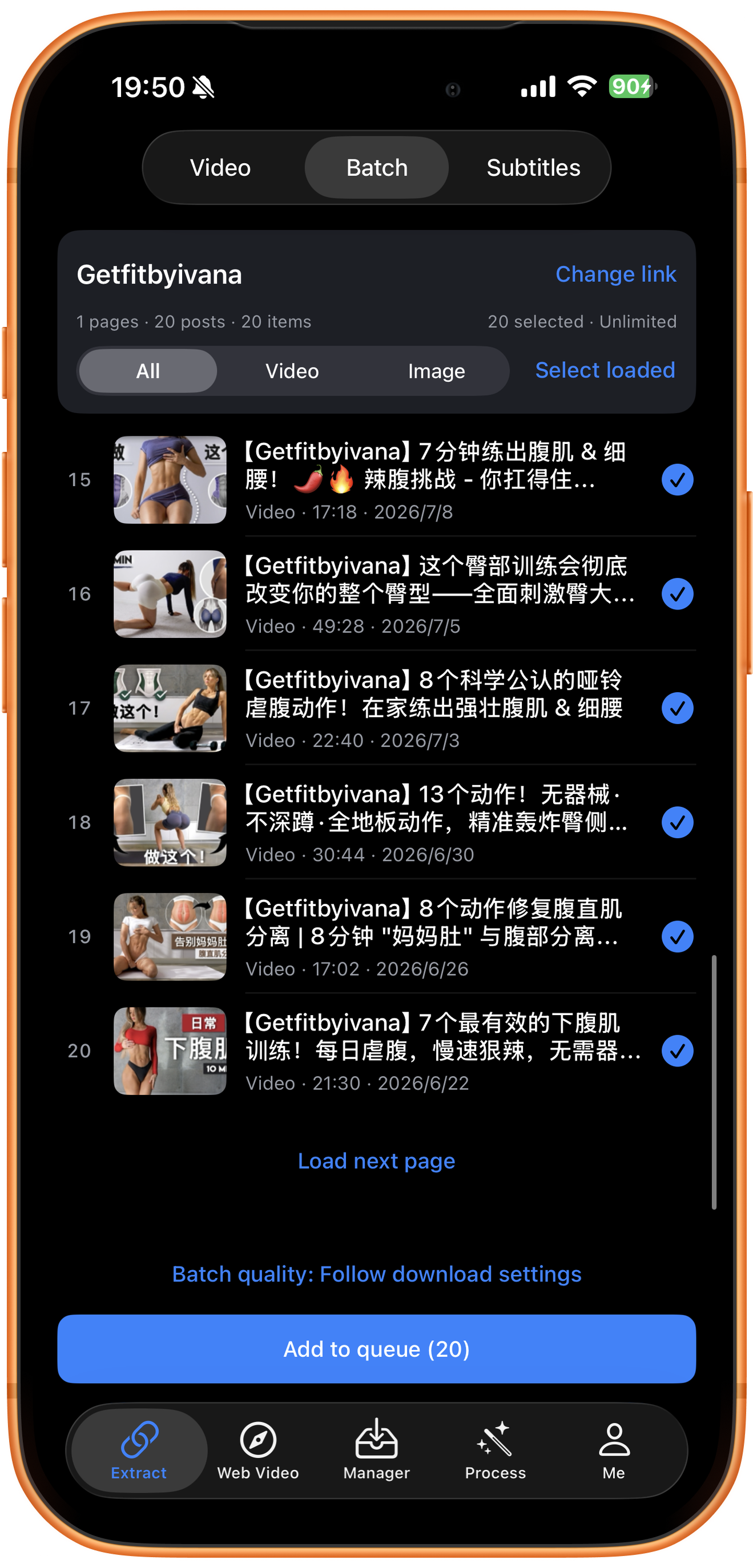
The example returns Getfitbyivana with 1 page, 20 posts, 20 items, and 20 selected. Items 15–20 are visible; media type, duration, and date help identify them.
Load next page to see more uploads
Tap Load next page at the end of the list to retrieve more items, then check new content and the selection count. The current 20 items are the loaded range, not necessarily the creator’s whole history.
Filter and select media
All shows every media type, Video filters videos, and Image filters images. Blue checkmarks show selected items. Adjust them as needed and check the total selection and Add to queue count before submitting, even when using the Video filter.
Check Batch quality before submitting
The screenshot uses Follow download settings. Tap Batch quality to inspect available choices, then tap Add to queue (20). The detailed resolution menu is not expanded here, so actual qualities must be checked in the results.
Confirm creator and counts
Change link lets you replace the URL. Posts and items count posts and media; both are 20 here. Unlimited is the shown account status, and actual limits depend on your account.
05Steps
Check the queue and completed results
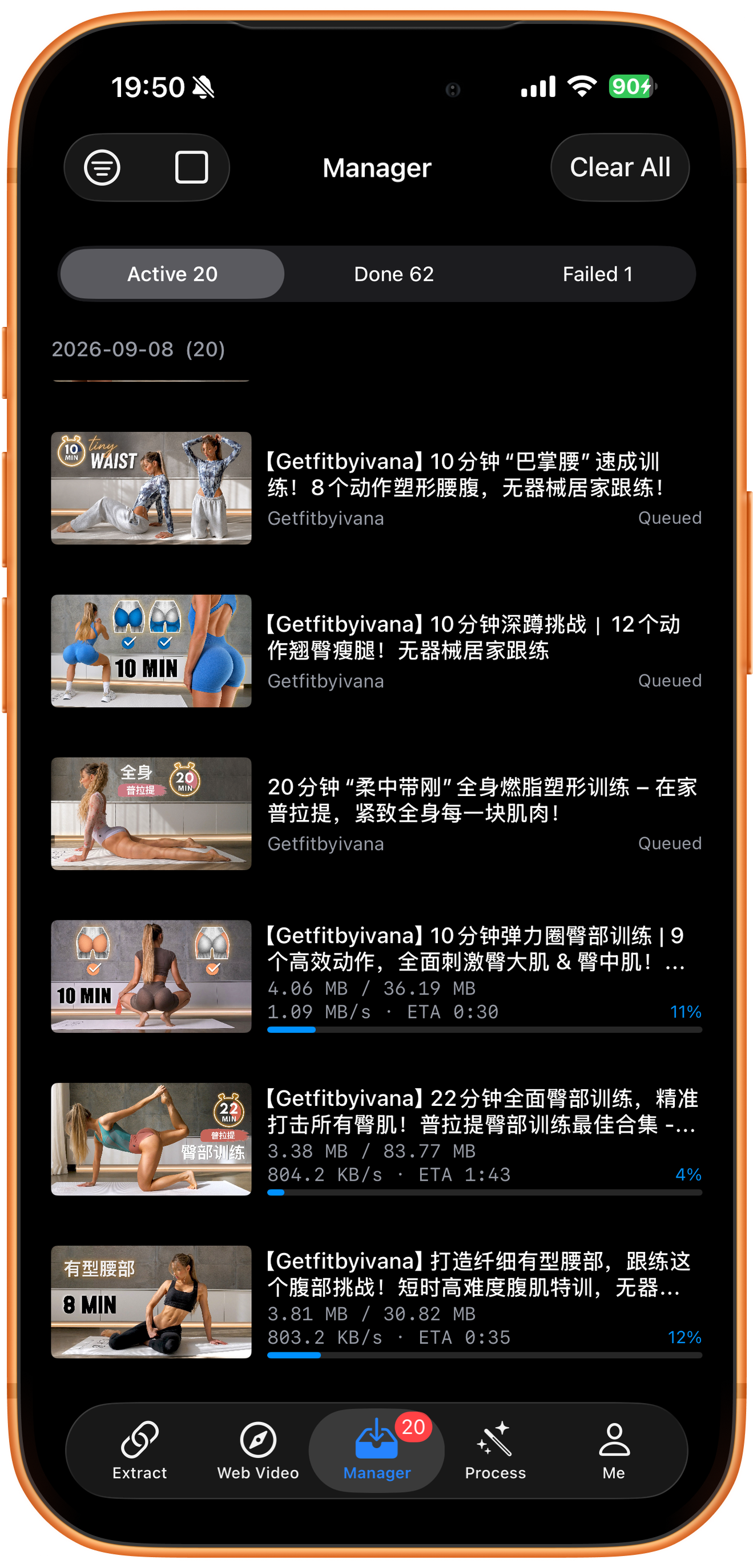
In Manager, the screenshot shows Active 20, Done 62, and Failed 1, with Queued items and running download information. These are current manager totals. Done 62 is not the completion count for this batch of 20.
Choose long videos carefully
The list contains long videos with different file sizes. Start with a few needed items and use actual progress to plan your wait, rather than queuing many unwanted tasks.
Preview completed files and handle failures
Open completed videos in Done and check picture and sound, then use Save to Photos if needed. Inspect individual errors in Failed. These screenshots show the queue running, not all tasks finishing or successful Photos saves.
Troubleshooting
Use the actual returned list
A loaded profile is not guaranteed to include every historical upload or restricted item. Check what has already downloaded before submitting again.
Frequently asked questions
Can I paste a b23.tv short URL directly?
This example successfully loads a list from a b23.tv link copied from a creator profile. Confirm both the source page and the returned creator.
Why are there only 20 resources?
Only one page is loaded here. Use Load next page and inspect the additional resources actually returned.
Does this also demonstrate collections, favorites, or multi-part videos?
No. These screenshots show a creator’s profile uploads. Other link types need their own workflow checks.
Is the highest quality guaranteed?
No. The screenshot follows download settings. Available resolutions depend on the returned resources.
Supported platforms
Batch sources include supported YouTube channels, Shorts, hashtags, and playlists; Instagram profiles and hashtags; X and TikTok profiles; and supported profiles or collections on Douyin, Bilibili, Weibo, and other platforms. Check the resources actually returned for your link.
Try it on your device
ClipDock is free to download, with in-app purchases. Features and available options depend on the current app version.
Download on the App Store